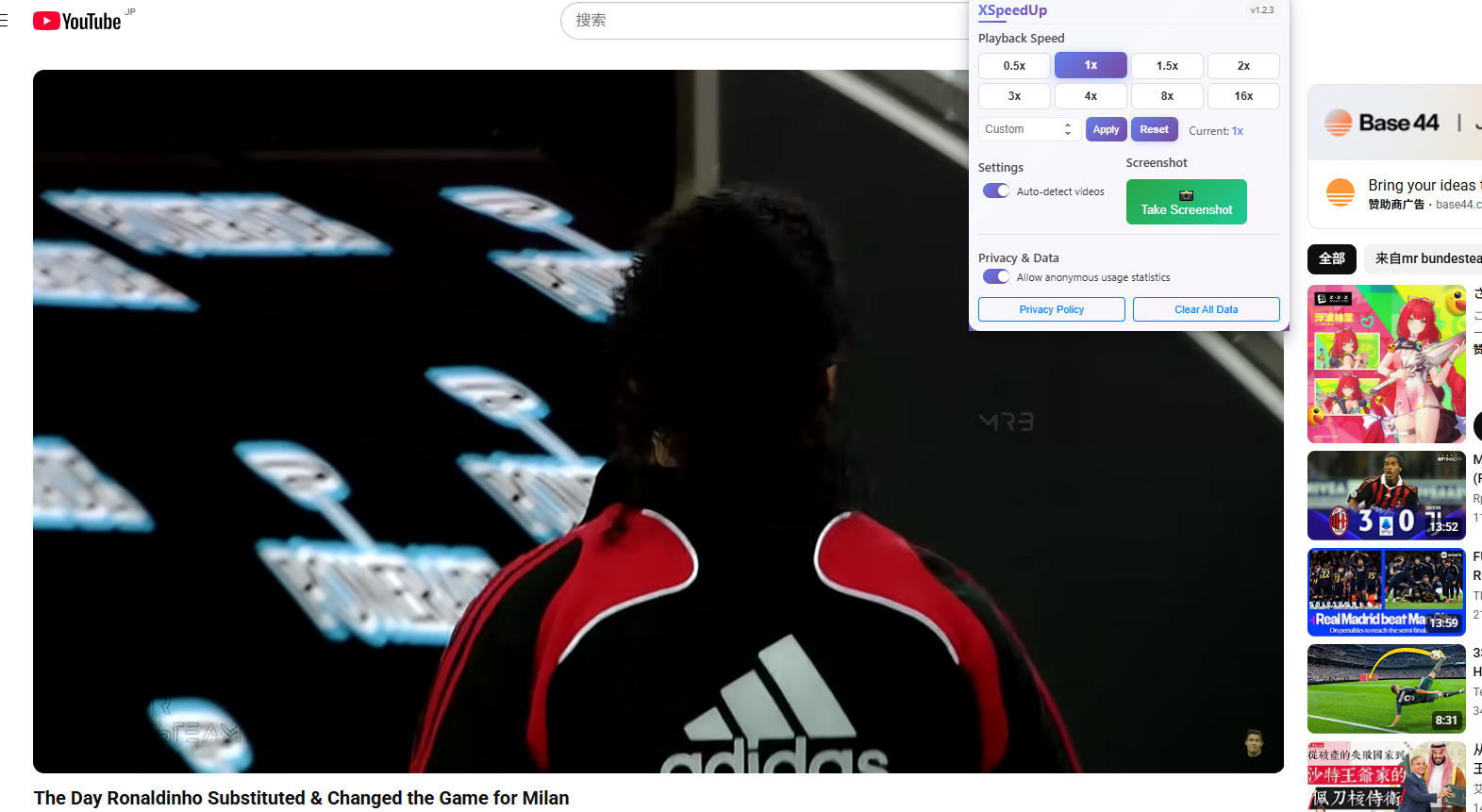

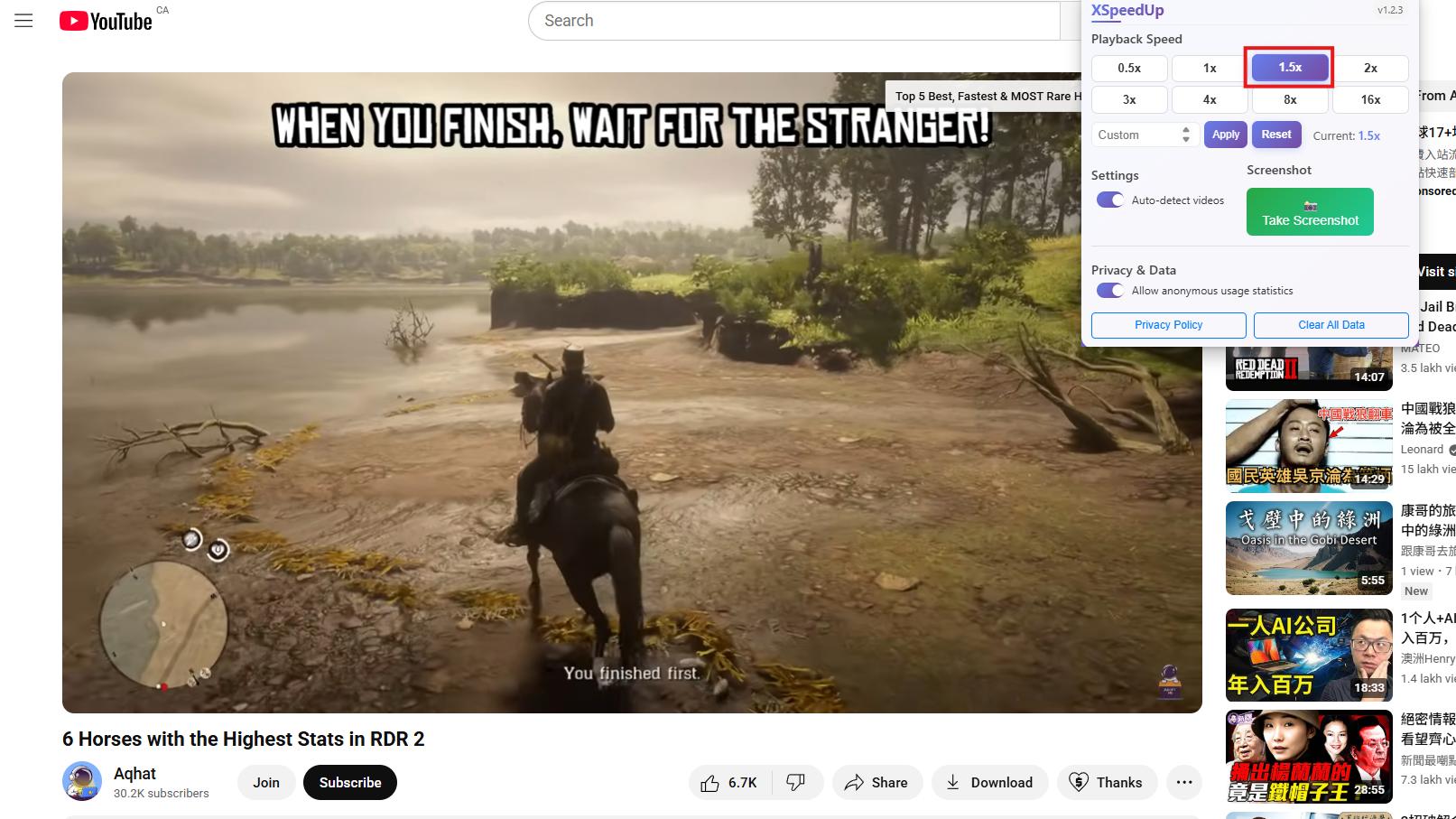

XSpeedup — Professional Video Speed Controller

Control video speed from 0.5x to 16x with precision, custom presets, and capture high-quality screenshots with a single click.Works with YouTube speed control, Netflix video speed controller, Amazon Prime video speed extension, and more.

Works with all major browsers
Chrome Chrome
Firefox Firefox
Edge Edge
XSpeedup Demo Illustration

Perfect For

👩‍🎓

Students

Speed up educational videos and lectures

👨‍💼

Professionals

Quickly review training materials and recordings

🎬

Content Creators

Analyze video content efficiently, capture key frames

🌍

Language Learners

Practice listening at different speeds

Boost your learning 2x~4x with precise speed control.

🎮 Try It Now - Interactive Demo

Experience the power of precise speed control

👇 Try adjusting the speed below!
1.0x Current Speed

How to use

1

Install XSpeedUp controller

Download and install the extension from Chrome Web Store, Firefox Add-ons or Edge Add-ons marketplace

2

Open the extension's popup

Find the XSpeedUp icon in the browser toolbar and click to open the control panel

3

Open video page and play

Visit any website with HTML5 videos like YouTube, Coursera, Udemy, etc., and start playing the video

4

Adjust playback speed or One-click screenshot

Use slider to set 0.5x-16x speed, or click screenshot button to capture current frame

Screenshot Feature

Screenshot Demo

Instant High-Quality Screenshots

Capture high-quality screenshots with a single click. Perfect for saving important moments, creating tutorials, or sharing content.

  • High-resolution captures
  • One-click screenshot
  • Automatic file naming
  • Custom save location

Why Choose XSpeedup

Lightning Fast

0.5x-16x speed range with precise custom speed settings

📸

One-Click Screenshots

High-quality video screenshots, saved locally for privacy

🌐

Universal Compatibility

Works on YouTube, Coursera, Udemy and most video sites

🔒

Privacy First

No data collection, all operations processed locally

From the blog

How to Change Video Playback Speeds on Netflix

💬 What Our Users Say

4.8/5 ⭐ Average Rating
1M+ Happy Users
150+ Countries

Frequently Asked Questions

Does it work on YouTube, Netflix and other sites?
It supports most HTML5 videos. Some DRM-protected players (e.g., Netflix) may restrict speed or screenshots due to site policies.
Will changing speed affect audio pitch?
No. The controller preserves pitch while changing speed, so speech remains natural and intelligible.
How can I set a precise custom speed like 1.75x?
Use the number input for exact values (e.g., 1.25, 1.75, 2.25). Preset buttons 1x/1.5x/2x/4x/8x are also available.
Where are screenshots stored? Is my data uploaded?
Screenshots remain locally in your browser. No tracking, no upload. You can right‑click to save the image.
The controller doesn’t show up on some sites. What can I do?
Refresh the page, ensure the video is HTML5, and disable conflicting extensions or site-specific speed features.
Is it compatible with other video extensions?
Yes in most cases. If you encounter conflicts, temporarily disable other video-related extensions.
Ready to speed up your watching?

Free extension for Chrome, Firefox and Edge